Apps for Jira and Confluence

We build four apps for Jira Cloud and Confluence Cloud. Each one does one job, shows you what it will change before it changes it, and runs entirely on Atlassian’s infrastructure.

The apps

Sold through the Atlassian Marketplace. Every app has full documentation here, including exactly what it stores and what it changes.

Exporter for Confluence
For Confluence Cloud

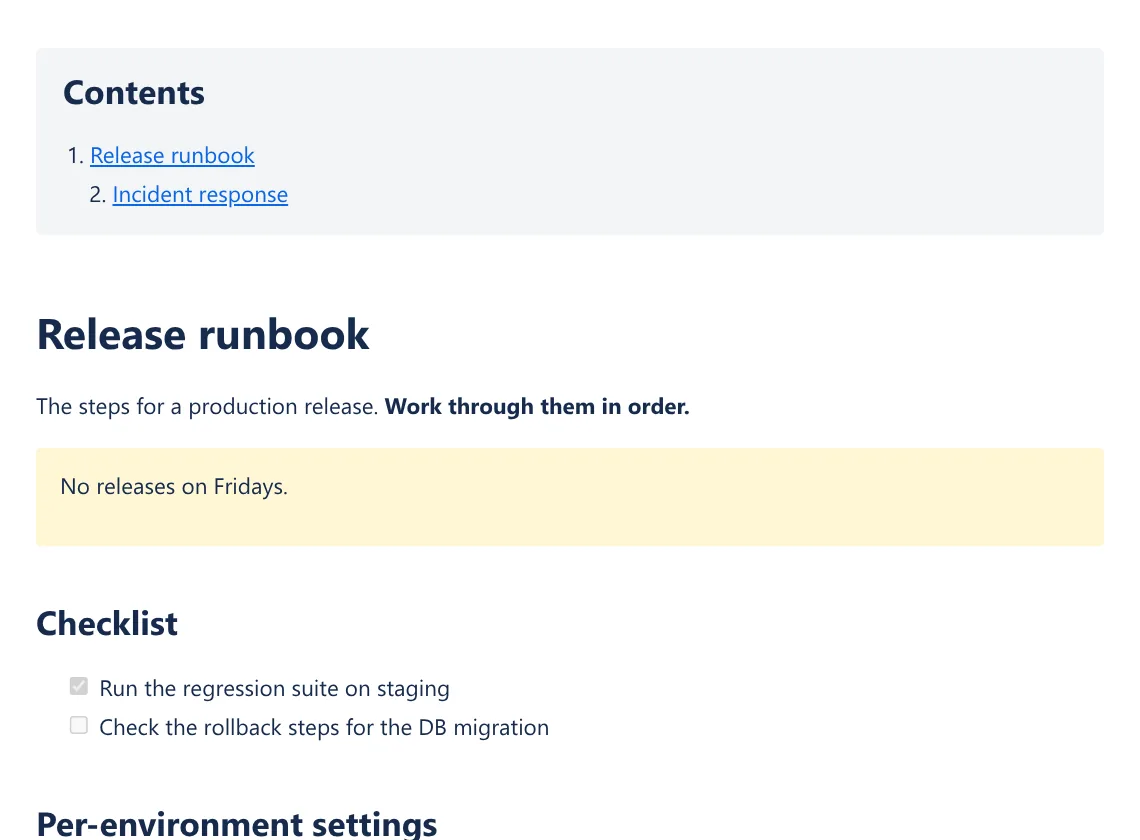
Confluence pages exported with tables and images intact

Exporter for Confluence turns a page and its children into a single HTML or Markdown file with the images embedded, so it can be emailed, opened offline or printed to PDF.

  • Tables, images and lists survive
  • Check the list before it runs
  • A report of what did not make it
More about Exporter for Confluence →
Recover for Jira
For Jira Cloud

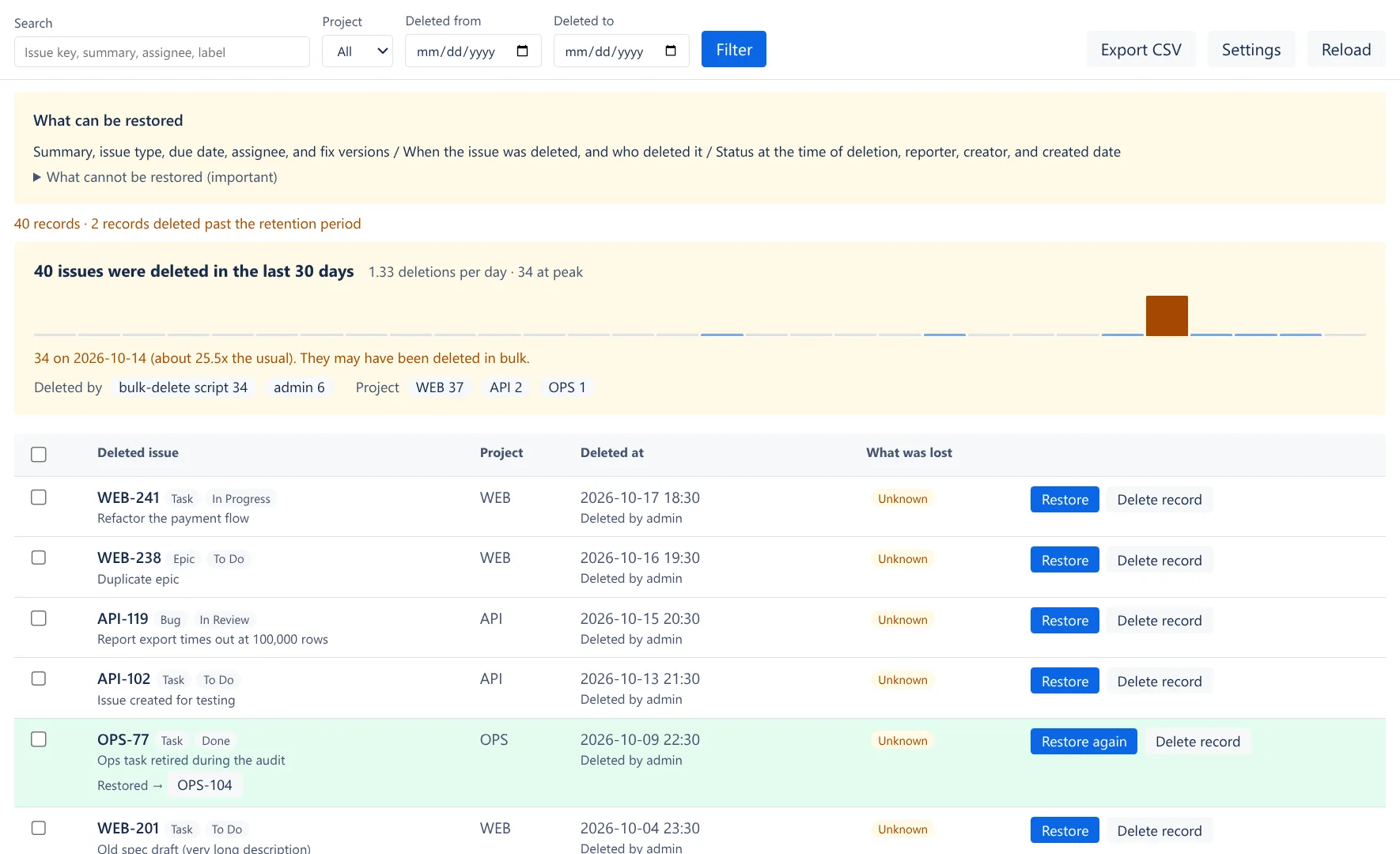
See what was deleted, and bring it back

Jira Cloud has no recycle bin. Recover keeps a record of every issue deleted after it is installed, with who deleted it and when, and can restore it into any project.

  • A record of every deleted issue
  • Restore into any project
  • Limits you set
More about Recover for Jira →
Approve for Confluence
For Confluence Cloud

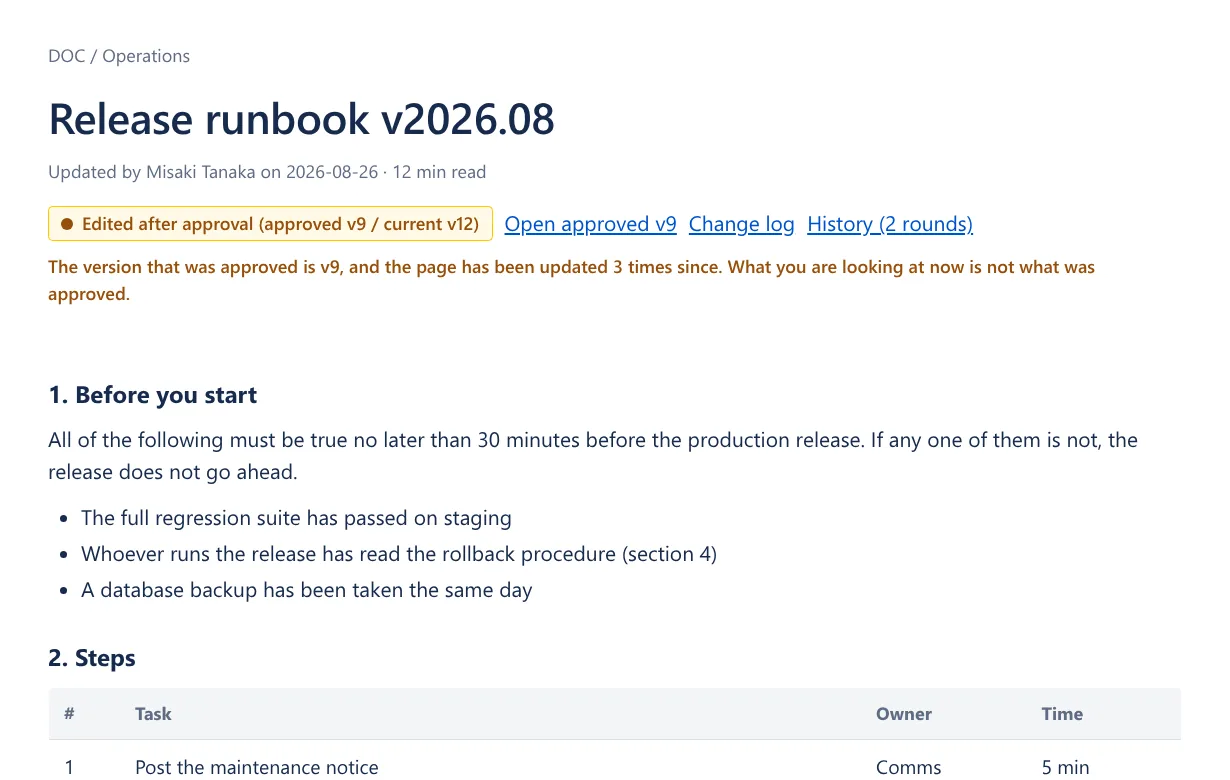
Approvals tied to the page version that was approved

Approve for Confluence records an approval against a page version, not the page. When an approved page is edited, the badge says so and links back to the version that was signed off.

  • The badge notices edits
  • Requests that remember the approvers
  • A ledger for audits
More about Approve for Confluence →
Issue Export for Jira
For Jira Cloud

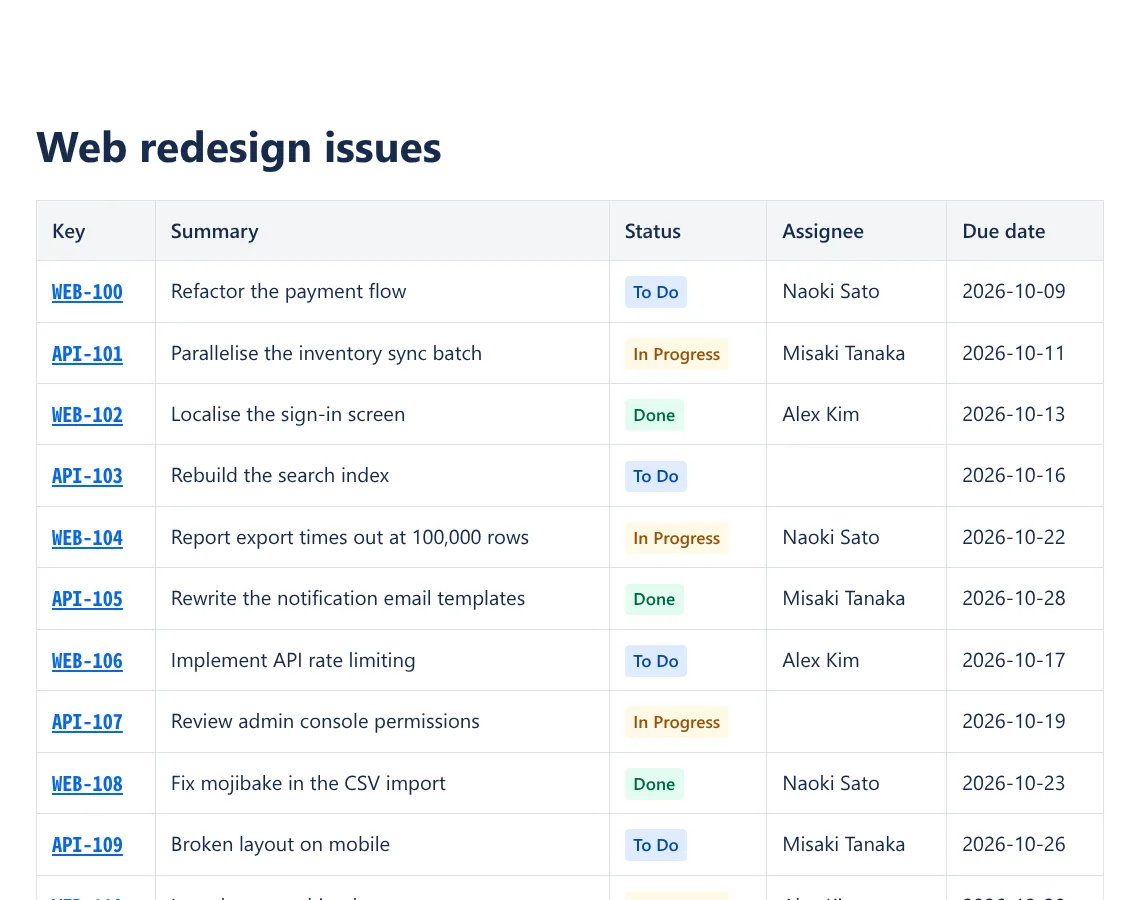
Export Jira issues as a document you can print

Issue Export turns a project, a saved filter, a JQL query or a single issue into an HTML document ready to print to PDF, or into Markdown or CSV. There is no template to write.

  • A finished document
  • Choose with checkboxes
  • Markdown and CSV from the same screen
More about Issue Export for Jira →

Your data stays in Atlassian Cloud

All four apps run on Atlassian Forge. Their code runs and their data is stored inside Atlassian’s infrastructure, and none of them sends anything to a server we operate.

Read the privacy policy →

Runs on
Atlassian Forge
Data is stored in
Forge storage, managed by Atlassian
Outbound requests
None (Atlassian APIs only)
Analytics, ads, AI services
None
Billing and licensing
Atlassian Marketplace

Questions and support

Send us an email about bugs, feature requests or anything else. We usually reply within 2 business days, in English or Japanese.