
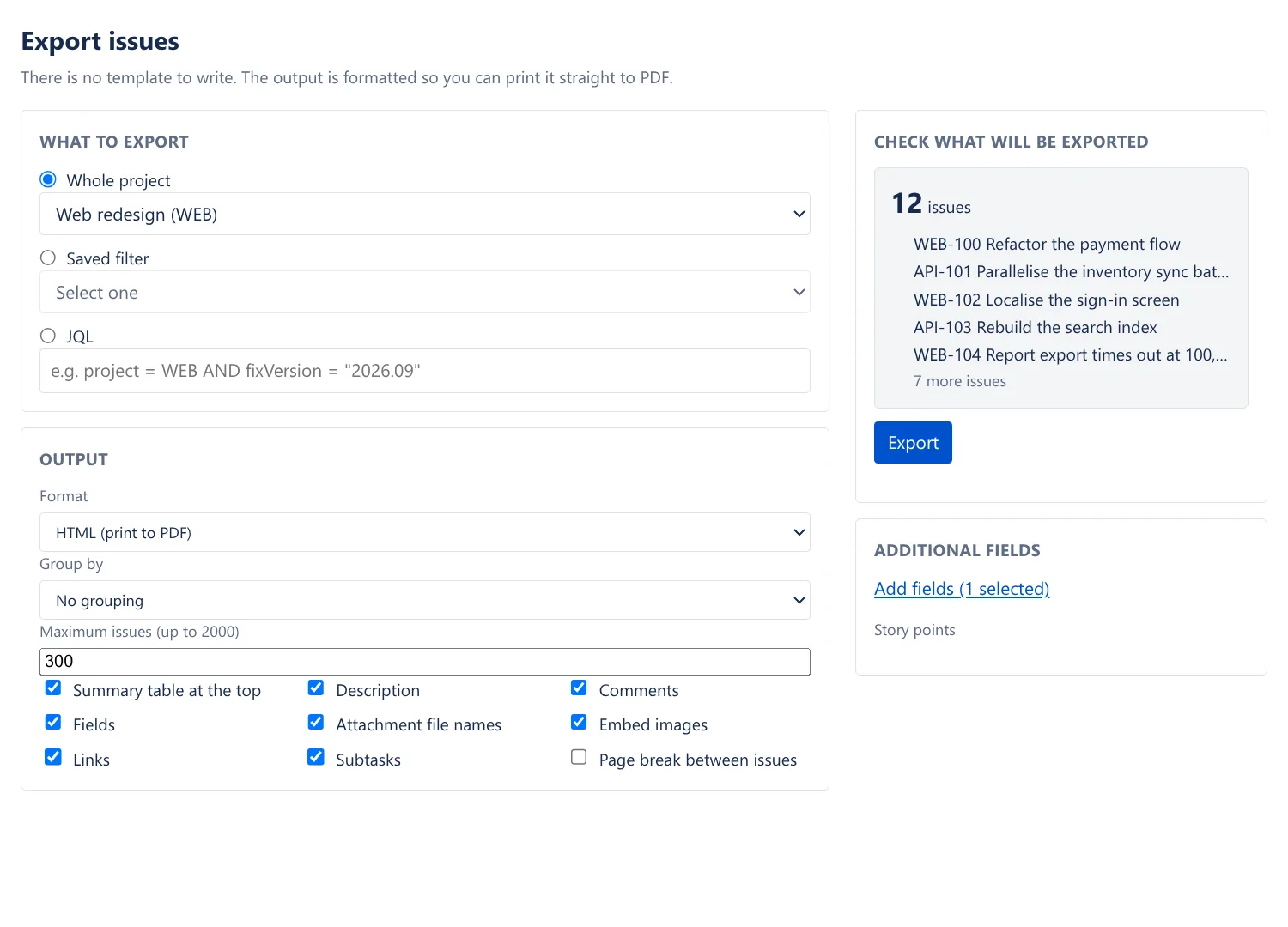
Choose with checkboxes
Pick the source, tick what to include, and see how many issues will be exported before you start. Up to 2,000 issues at a time.
Apps / Issue Export for Jira
Issue Export turns a project, a saved filter, a JQL query or a single issue into an HTML document ready to print to PDF, or into Markdown or CSV. There is no template to write.
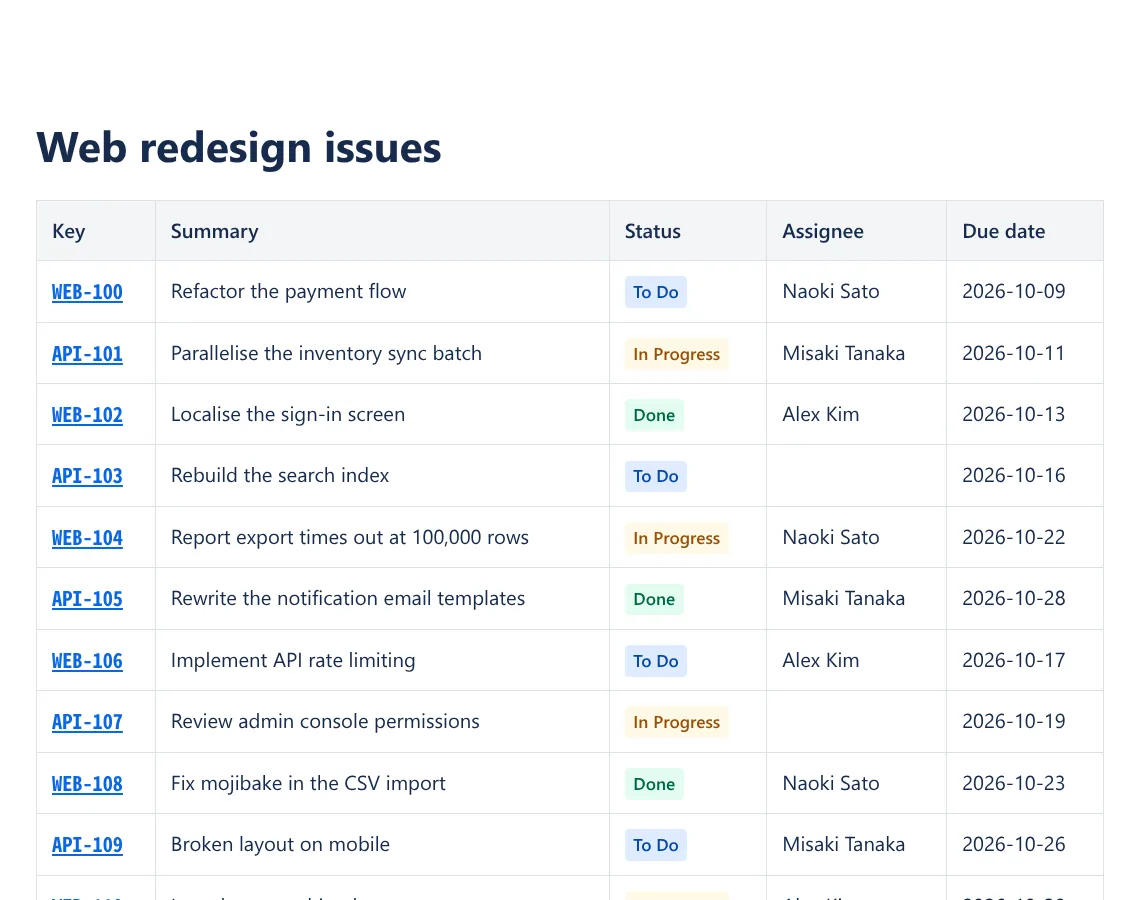
A summary table first, then each issue with its fields, description, comments, links and attachments. Images are embedded in the file.
Pick the source, tick what to include, and see how many issues will be exported before you start. Up to 2,000 issues at a time.
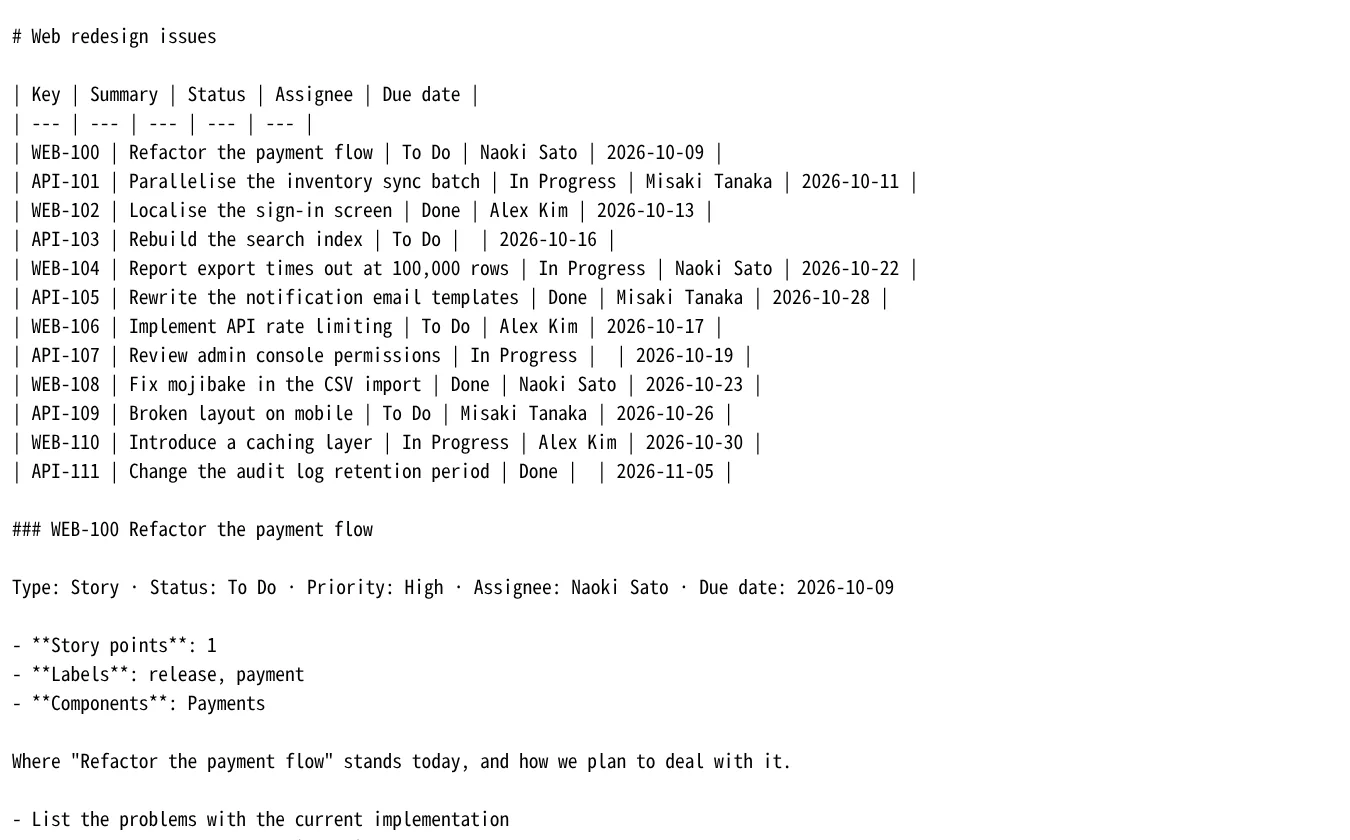
The same issues as Markdown for a wiki or a repository, or as CSV for a spreadsheet.
Issue Export for Jira
No. The shape of the output is already decided for you, and you just add or remove items with checkboxes. The complaints at the heart of the existing apps were "the default templates produce broken output" and "it's unusable unless you're willing to tweak them yourself," so we removed that whole step.
Up to 2,000 (300 by default). You can change this in settings. Before you export, the app shows how many issues matched, and if you are going to hit the limit it tells you on screen how many will not be exported. An existing app stopped being able to export at all above 350 issues from one day onward, and that was the reason for its 1-star reviews.
Export as HTML, click "Open in new tab," then print from your browser and save as PDF. Print styles are built in so that tables, comments, and images are not cut apart at page boundaries.
"Export issues" in the apps menu, the tab of the same name in a project, and the "•••" menu on an issue (exports just that issue).
Description, comments, attachment names, links, subtasks, and custom fields. Custom fields come out under their display name (not an ID like customfield_10050). You can also group by status, assignee, issue type, priority, or parent issue.
They are matched by filename and embedded. Images in Jira body text carry a media ID and attachments carry a numeric ID, and there is no public API that connects the two directly. Most of them match by filename. The number that did not match is always shown on screen, and the document itself is left with a "could not be retrieved" note in place. Images never disappear silently.
Not directly. Word can open the HTML (the layout will break). If you need it in a spreadsheet, use CSV. It carries a BOM so Excel does not garble the characters.
No. The app does not request write permission, so it is technically impossible.
write:jira-work, so it cannot change a single issue.read:jira-work read:jira-user storage:appSend us an email about bugs, feature requests or anything else. We usually reply within 2 business days, in English or Japanese.