
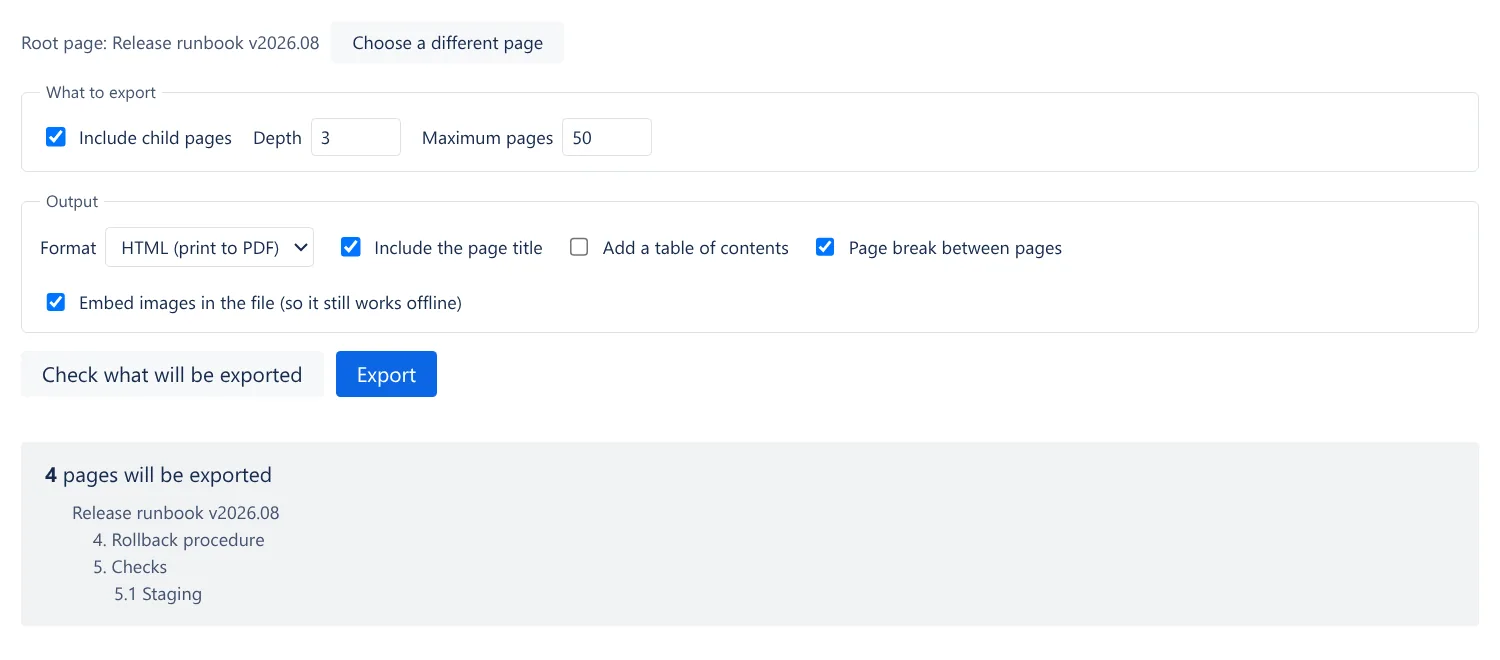
Check the list before it runs
Set how deep to go and a page limit, then see exactly which pages will be exported before anything starts.
Apps / Exporter for Confluence
Exporter for Confluence turns a page and its children into a single HTML or Markdown file with the images embedded, so it can be emailed, opened offline or printed to PDF.
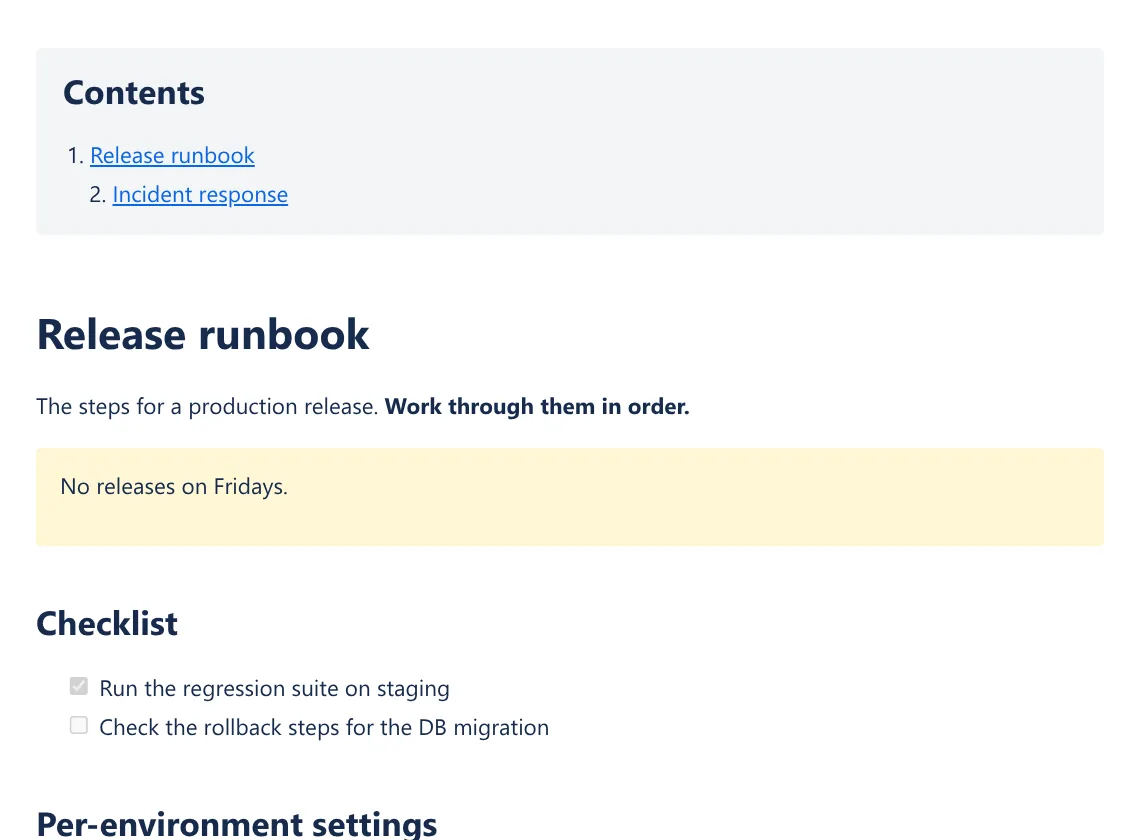
Content inside table cells keeps its structure instead of being flattened to text, and the print styles stop a table row from splitting across two pages.
Set how deep to go and a page limit, then see exactly which pages will be exported before anything starts.
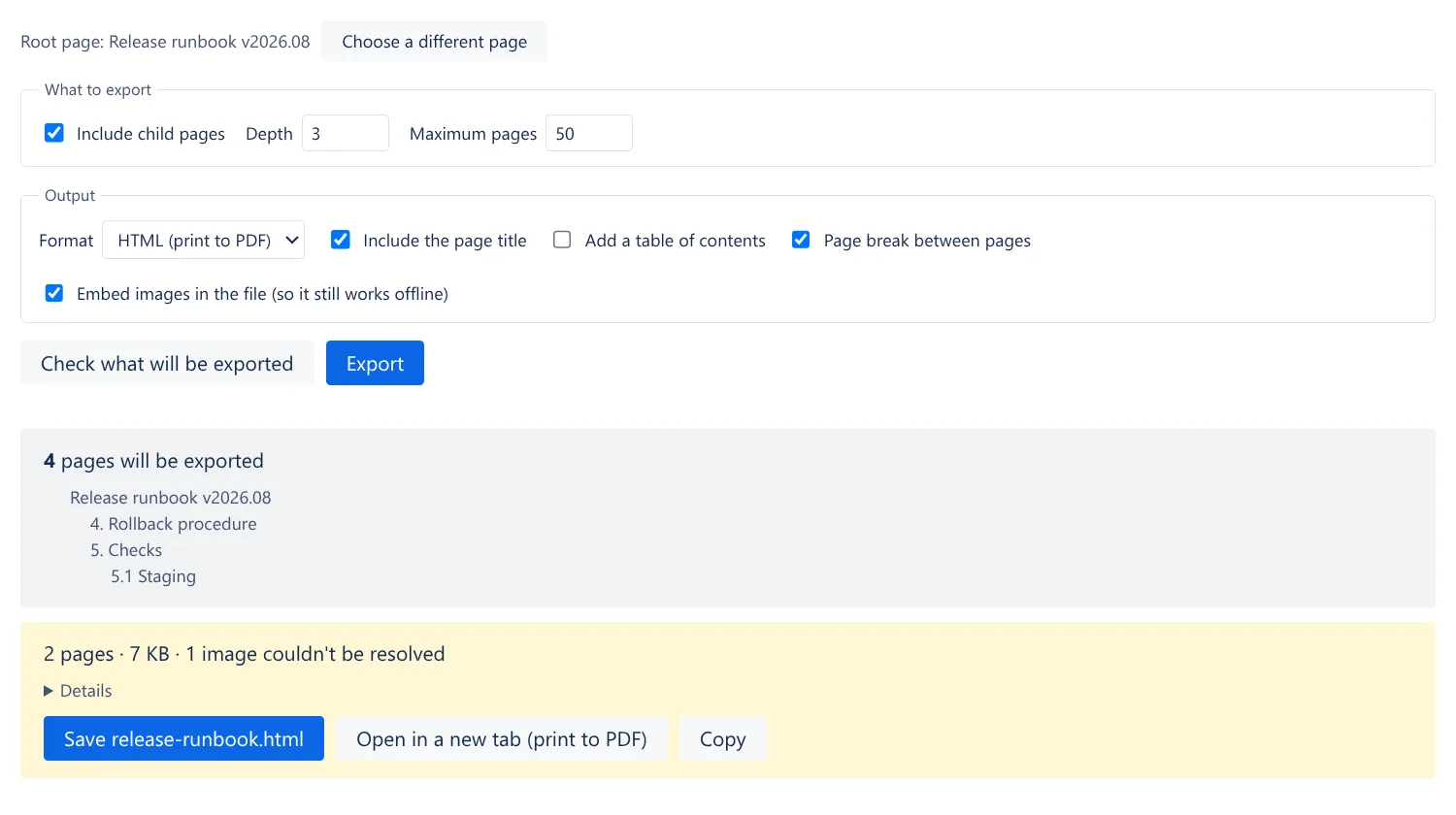
When the export finishes you see the page count and file size, and a list of anything that could not be included, such as an image that could not be resolved.
Exporter for Confluence
The "…" menu at the top right of a page → "Export". To work on a whole space, open "Export" in the space sidebar on the left and pick the page to start from.
Set the format to HTML and export, then "Open in new tab" → your browser's print dialog → save as PDF. The print styles are built out, so tables and rows are not split across page boundaries.
By default, images are embedded in the file itself (limit: 1.5 MB per image, about 2 MB in total, so the finished file can be handed back in one piece). Anything over the limit is listed on the result screen with the reason why, and stays as a link to the image on the site.
Your browser or site settings may restrict downloads from an iframe. Use "Open in new tab" or "Copy" instead.
Turn on "Include child pages" and set the depth of the hierarchy and the maximum number of pages. Before you run the export, "Check what will be exported" shows the page count and whether anything will be cut off.
Macros that have body content are exported with that content. Macros that do not are labeled "Unsupported macro", and the result screen lists which types they were. Nothing is dropped silently.
read:page:confluence read:space:confluence read:attachment:confluence storage:appSend us an email about bugs, feature requests or anything else. We usually reply within 2 business days, in English or Japanese.