Questions
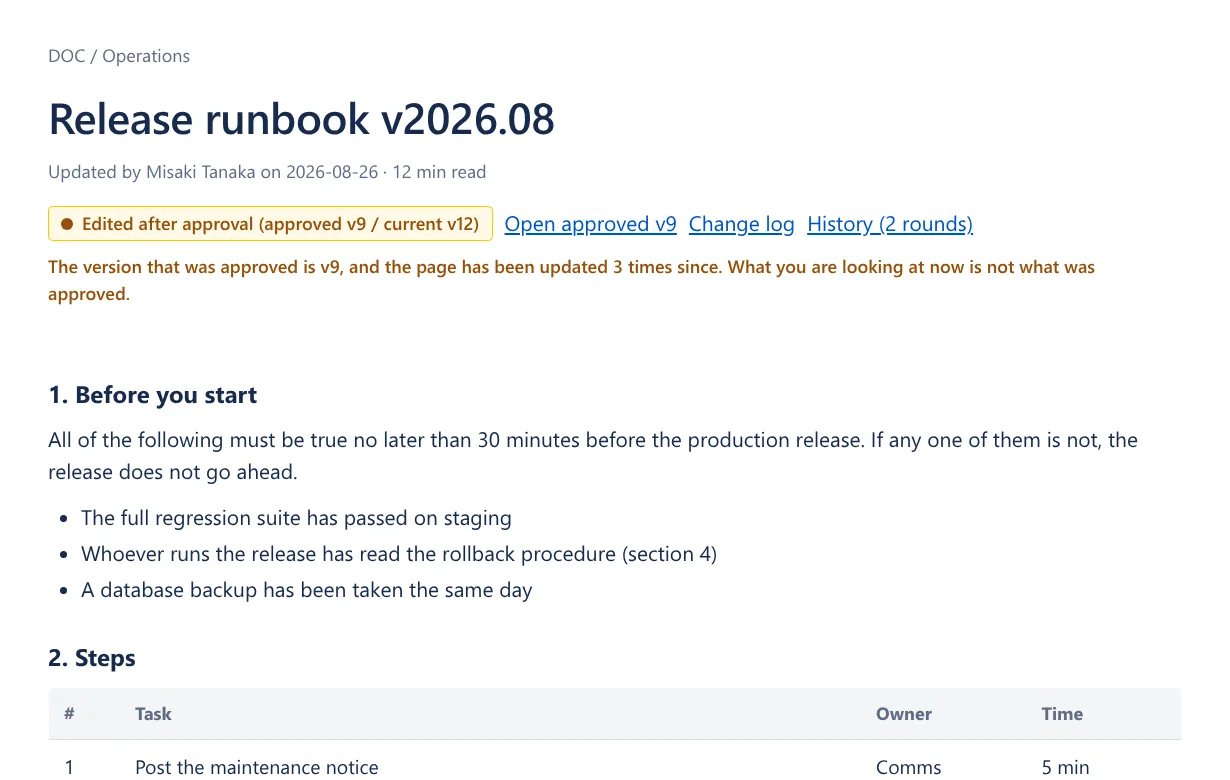
What happens if the page is edited after it was approved
The badge changes to "Edited after approval (approved v9 / now v12)", with a link to the approved version and a link to the change log. The approvers are notified by a comment. This behavior is the reason this app exists.
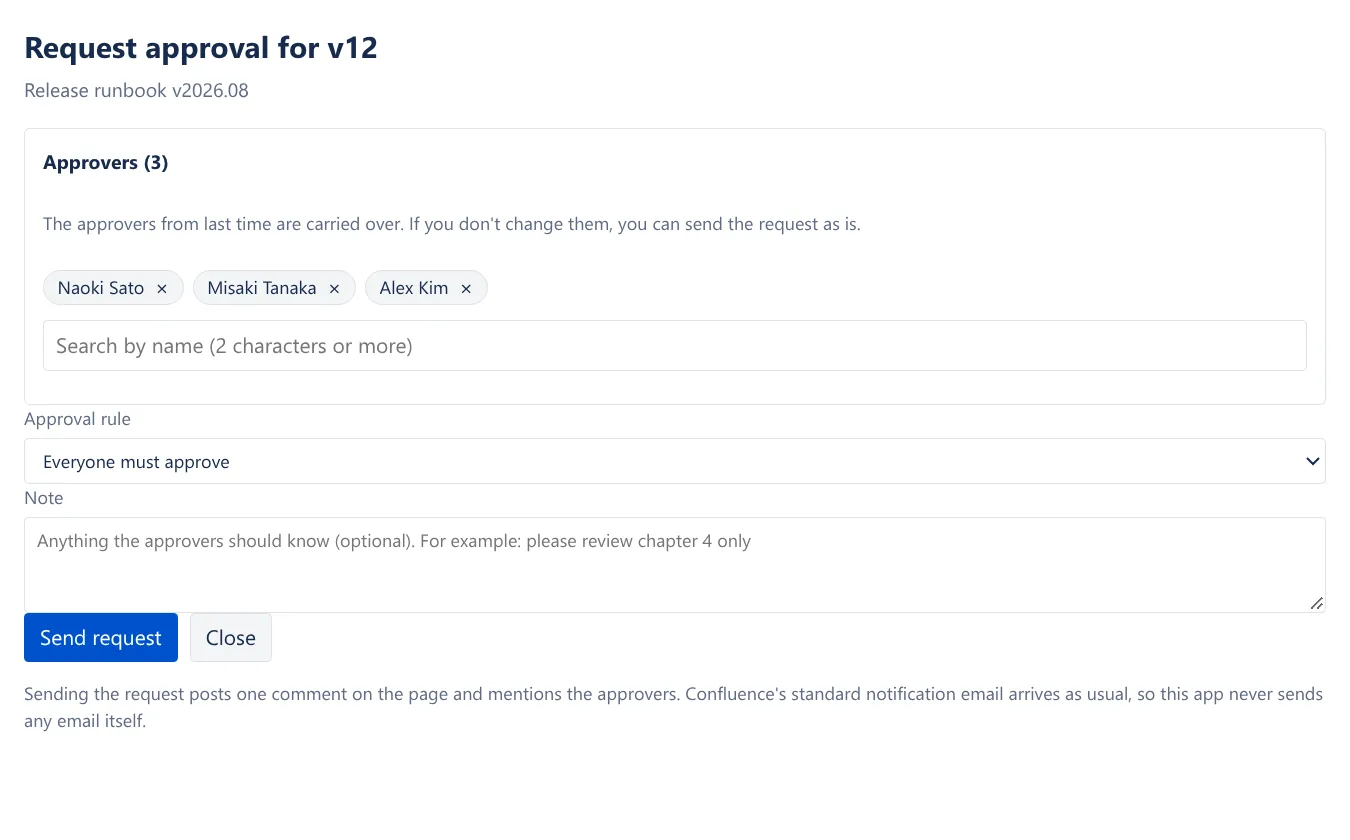
How do approvers get notified
It posts one comment on the page and @mentions the approvers. Confluence itself sends the notification email, so it carries the page title and a link, and each person's own notification settings are respected. This app never sends email anywhere outside. It uses no external service and no API key.
If I request approval again, do I have to pick the approvers over again
No. The dialog opens with the previous approvers already filled in. Editing the page does not clear the approver list.
Can I tell later which version was approved
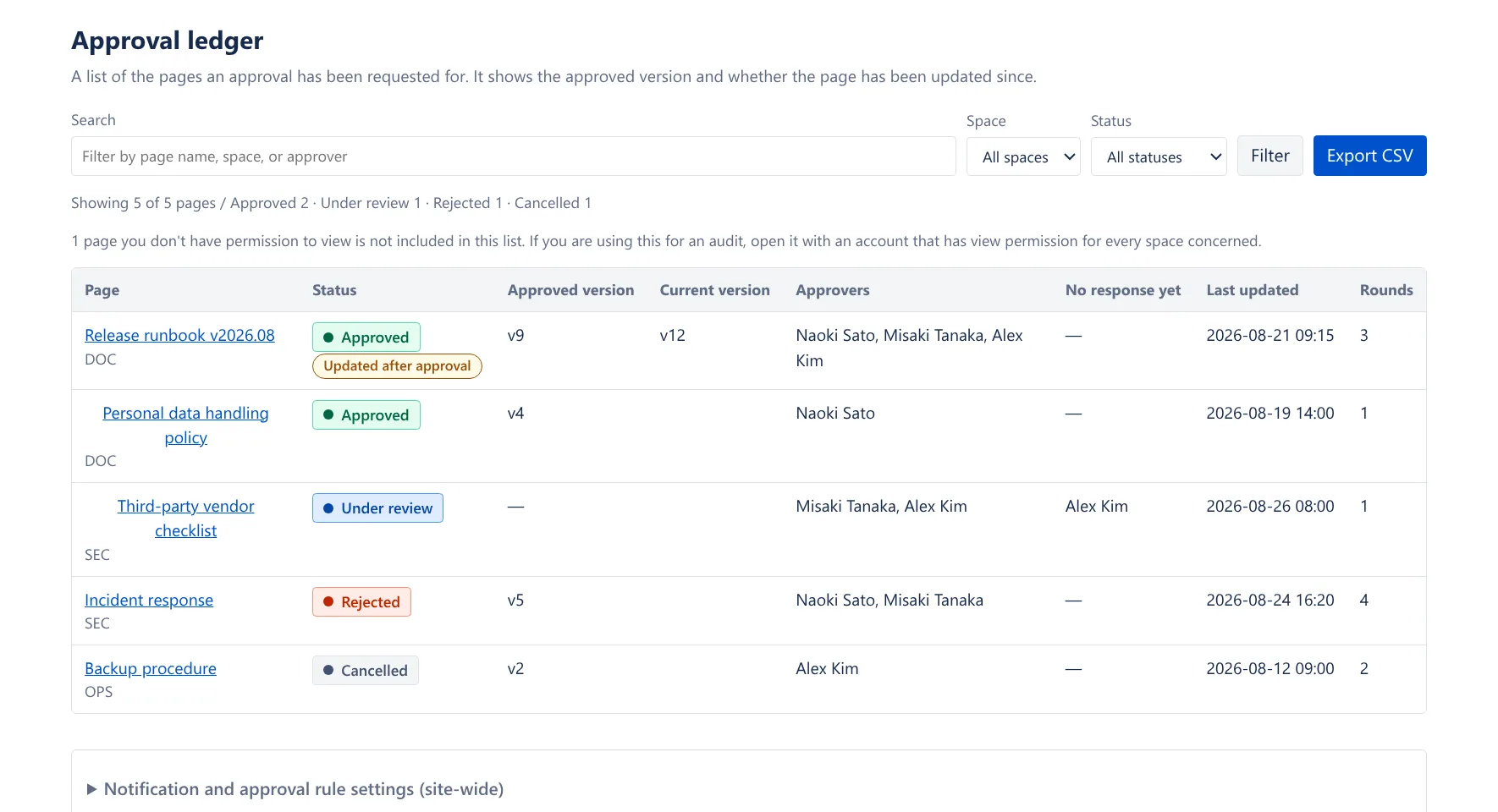
"History" on the badge shows, version by version, who approved or rejected, when, and what they said. You can also export it as CSV from the approval ledger (one row per decision).
Can the condition for reaching approval be changed
There are three: everyone approves / one person approves / n people approve. A single rejection settles the round (a rejection is treated as a stop condition, not as one vote in a majority).
Can it lock the page
It does not. Blocking edits is a job for Confluence page permissions, and it goes wrong when an app takes that over. This app solves it from the other side: it does not hide the fact that the page changed.
Can it be used as an electronic signature
It cannot. A regulated electronic signature, such as one under 21 CFR Part 11, is a different thing. This app is a record of approval, not a signature.
What about approvals from before the app was installed
They were never recorded, so they do not appear. Recording starts with the approvals requested after installation.
Does it work on blog posts too
It does. The badge appears on blog posts as well, and if one is edited after approval the display changes the same way and the approvers are notified.
Does the approval ledger show records from the whole company
It does not. Only records for pages you can view. Page titles, approver names, and rejection comments from spaces you have no permission for appear neither on screen nor in the CSV. The number of excluded records is shown on screen, so when you use this for an audit, open it with an account that has view permission on every space in scope.
Data and permissions
- Stores
- Approval rounds: page ID, page title, space key, target version number, the account IDs of the approvers and the requester, the request date and time, the request note
- Each person's response: the responder's account ID, approve or reject, date and time, comment text
- Settings (the default rule for reaching approval, comment notifications on/off, the account ID of whoever last changed them and when)
- Does not store
- Page content
- Attachments
- Anything about pages that have never had an approval request
- People's display names, email addresses and avatars. The names of approvers, requesters and responders are looked up from Confluence when a screen opens, a CSV is exported or a notification comment is posted, and are not stored
- Changes it makes
- When an approval is requested, when someone responds, and when an approved page is edited, it posts one comment on that page. It does not rewrite the page content (it does not request
write:page:confluence, so it technically cannot). - Retention
- Approval records are never deleted automatically. This app exists to keep them as an audit record, and a record that disappears at a deadline would defeat the point. Rounds are capped at 25 per page, and anything beyond that drops off oldest-first (storage is also capped at 60KB per page). Uninstalling the app deletes the Forge storage along with it (if you reinstall within Atlassian's retention period, the earlier records may still be there).
- Permissions
read:page:confluence read:blogpost:confluence read:space:confluence read:content.metadata:confluence read:comment:confluence write:comment:confluence read:user:confluence search:confluence read:content-details:confluence storage:app