
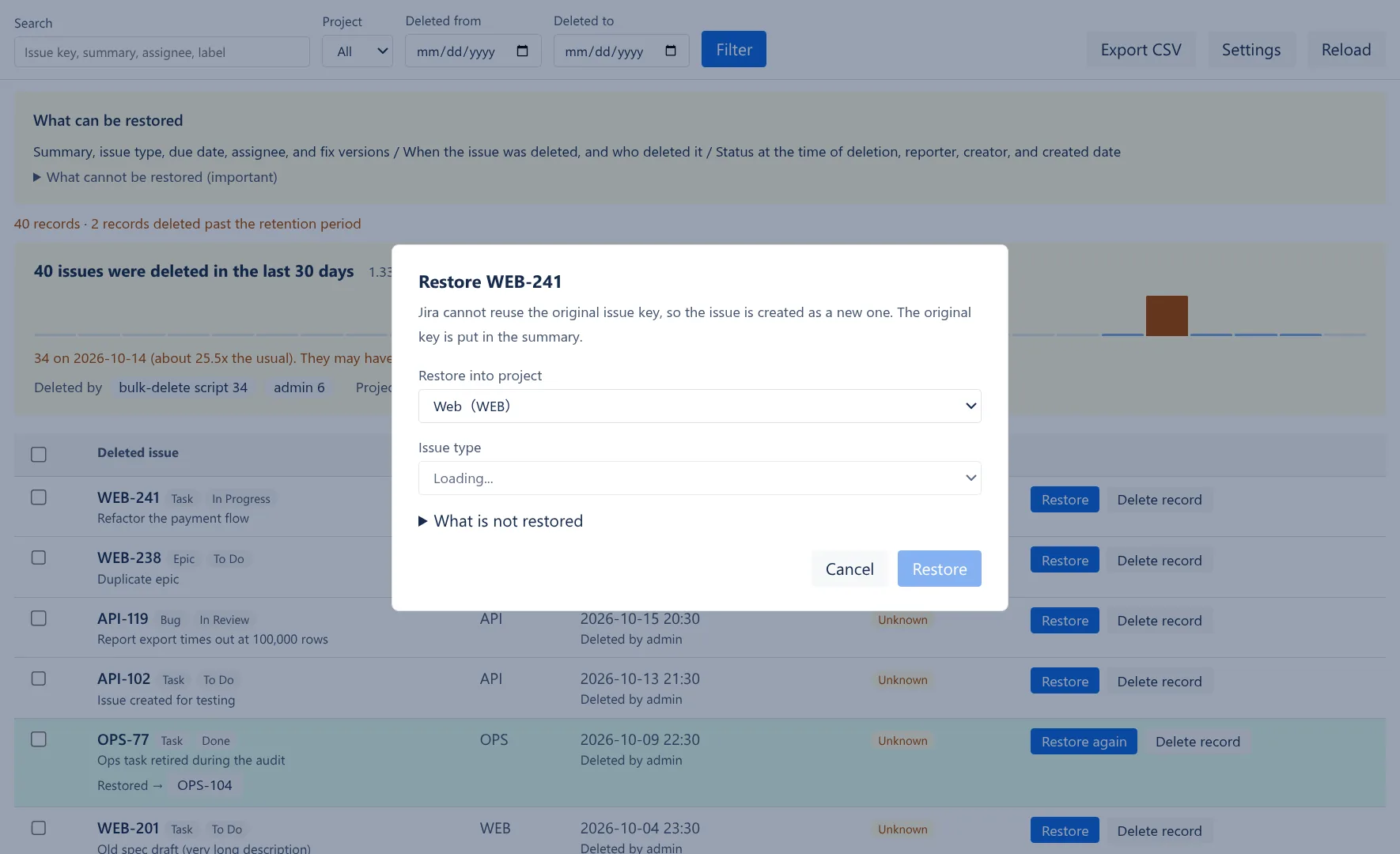
Restore into any project
Jira will not reuse a deleted key, so the issue comes back under a new one with the original key at the front of the summary. Anything that could not be restored is listed on the row instead of being dropped.
Apps / Recover for Jira
Jira Cloud has no recycle bin. Recover keeps a record of every issue deleted after it is installed, with who deleted it and when, and can restore it into any project.
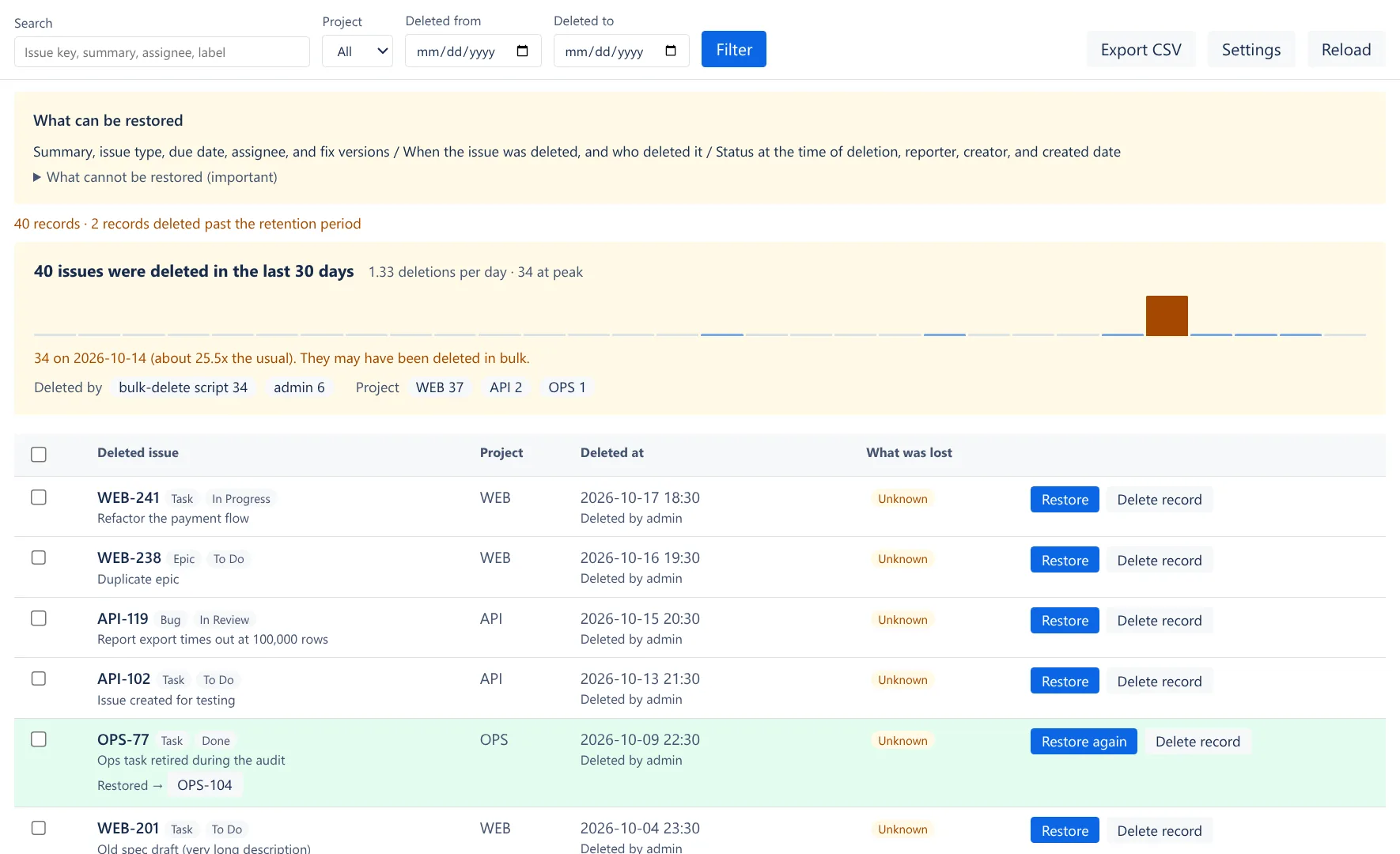
Search by key, summary, assignee or label. A chart of the last 30 days shows when deletions spike, so a bulk delete stands out.
Jira will not reuse a deleted key, so the issue comes back under a new one with the original key at the front of the summary. Anything that could not be restored is listed on the row instead of being dropped.
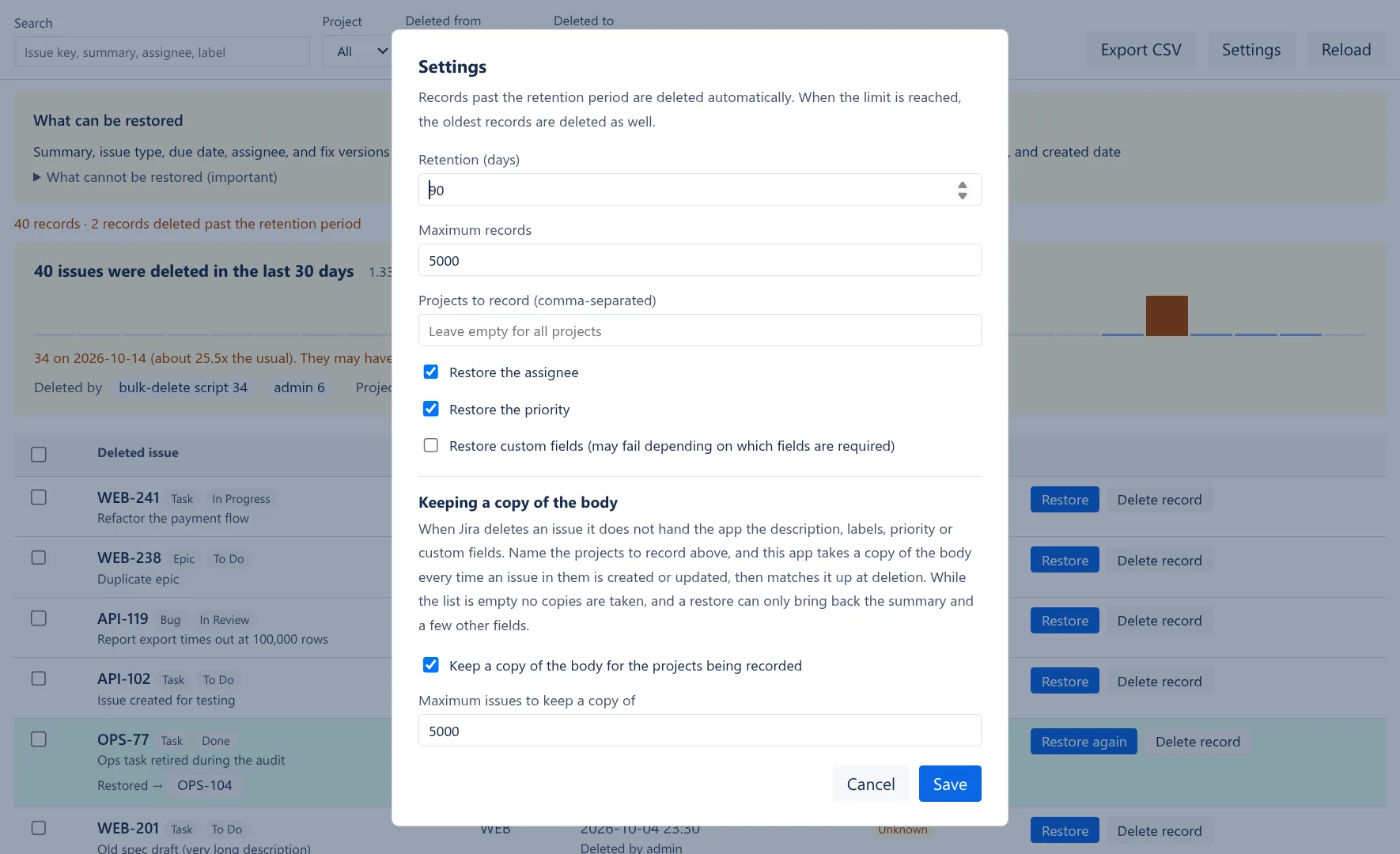
Choose how long records are kept, how many, and which projects to watch. To restore descriptions and custom fields as well, Recover keeps a copy of the issues in the projects you name.
This app records only the issues deleted after it is installed. Anything deleted before that cannot be restored, because Jira keeps no record of it either.
Recover for Jira
They cannot be restored. This app starts recording from the moment it begins receiving deletion events. For anything deleted before that, Jira keeps no record either.
Jira's deletion event hands an app only the summary, issue type, status, assignee, reporter, creator, due date and fix versions. The description, labels, priority and custom fields are not among them. The issue is already gone from the REST API by then, so there is no way to fetch the rest afterwards. So name the projects to record, in settings. Every time an issue in one of them is created or updated, this app takes a copy of its body; when the issue is deleted, the copy is matched up with the deletion event. That is what makes the description, labels, priority and custom fields restorable. While the list is empty no copies are taken, a restore brings back the summary and a few other fields, and the “What was lost” column reads “Unknown” — because there is no way to know. An issue that has not been edited since its project was added has no copy either.
The issue is created with a new key, and the original key goes at the front of the summary as [WEB-42]. The description records what it was restored from, the time of deletion, the status when it was deleted, and the fact that the original body could not be recovered.
Check your permission to create issues in the target project, the issue type you chose, and the required field settings. A restored issue carries only the summary, issue type, due date and assignee, so creation can fail in a project with required custom fields.
You can narrow the projects to record in settings. Leave it empty for all projects.
Apply your filters and press "Export CSV". The CSV contains the time of deletion, project, summary, reporter, assignee, and the counts of what was lost.
You cannot. Viewing, restoring, exporting CSV, and deleting records all cover only the records of projects you can view. For a project you have no permission to, not even the issue key appears. The number of records excluded is shown on screen.
You can. Select them in the list and press "Restore selected". Internally it works 50 at a time, and the screen automatically continues with the rest (progress is shown, and you can stop partway). Anything already restored is never created twice — even if it runs long and stops partway, just press it again and it picks up where it left off.
read:jira-work write:jira-work read:jira-user storage:appSend us an email about bugs, feature requests or anything else. We usually reply within 2 business days, in English or Japanese.